The case for character
Gaming runs on characters. One embodied agent could carry from support into Minecraft and Halo.
Designing a conversational support experience for Xbox, integrating a Support Virtual Agent (SVA) across chat, search, and entry points.
UX designer Jan 2024 – Jan 2025 Shipped
A demo agent built for this case study, not the Xbox product.
I took a menu buried in the footer and made it the first place most people go for help.
UX designer
I owned conversational flows, escalation logic and accessibility.
12 months
Discovery through to ship
9 people
2 designers, 1 researcher, 4 engineers and 2 PMs
Figma
Tools
Help meant a menu-driven agent, hand-offs that lost the conversation, and a heavy reliance on people.
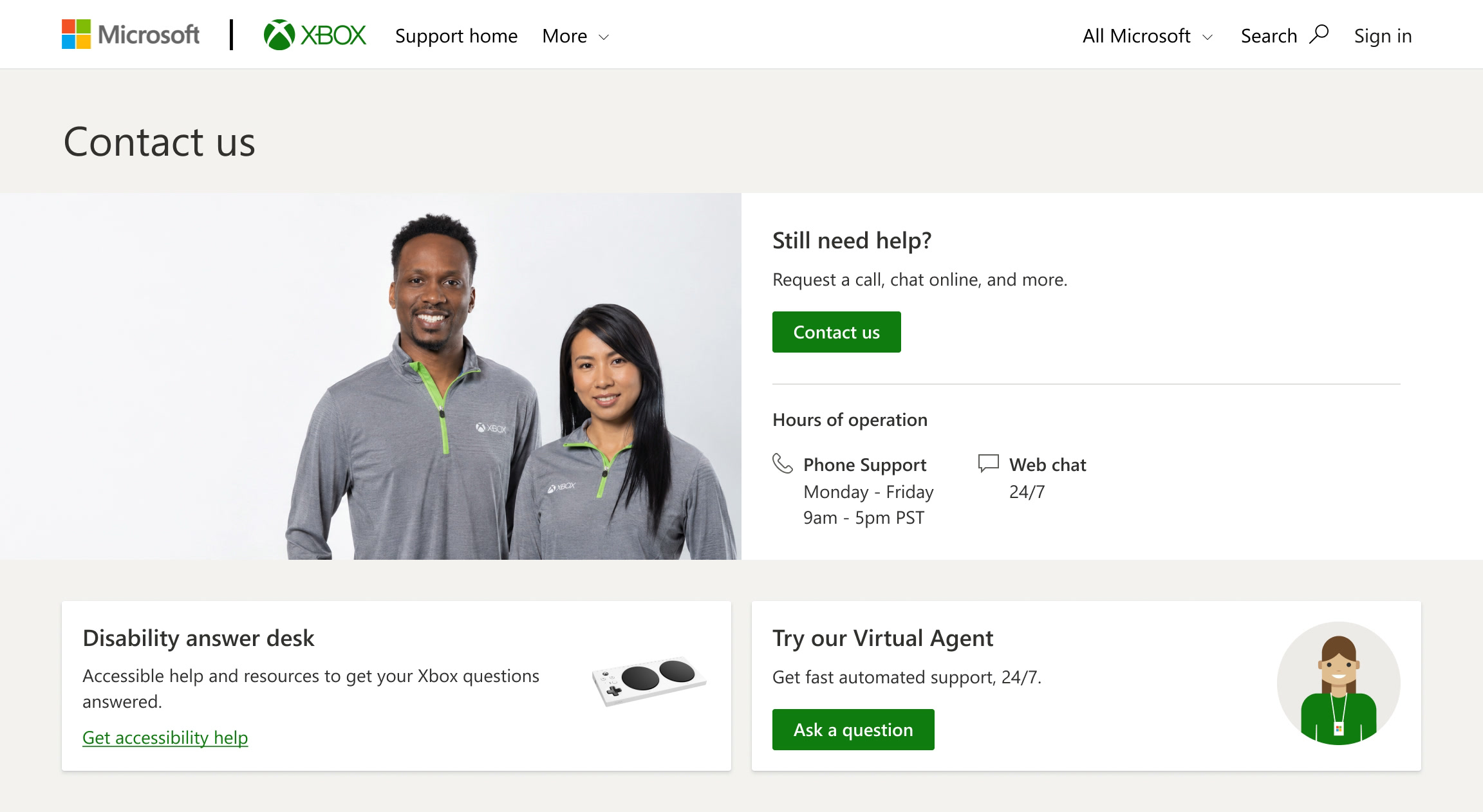
Outdated static scripts that couldn’t adapt to user intent.
Created friction and dropped context at every transfer.
Unsustainable over-reliance on human support.
Intelligent and adaptive self-service.
Resolve issues directly, or hand off cleanly when needed.
A system that learns over time, instead of constant manual updates.
Deliver adaptive answers where gamers were already looking.
Building the core experience.
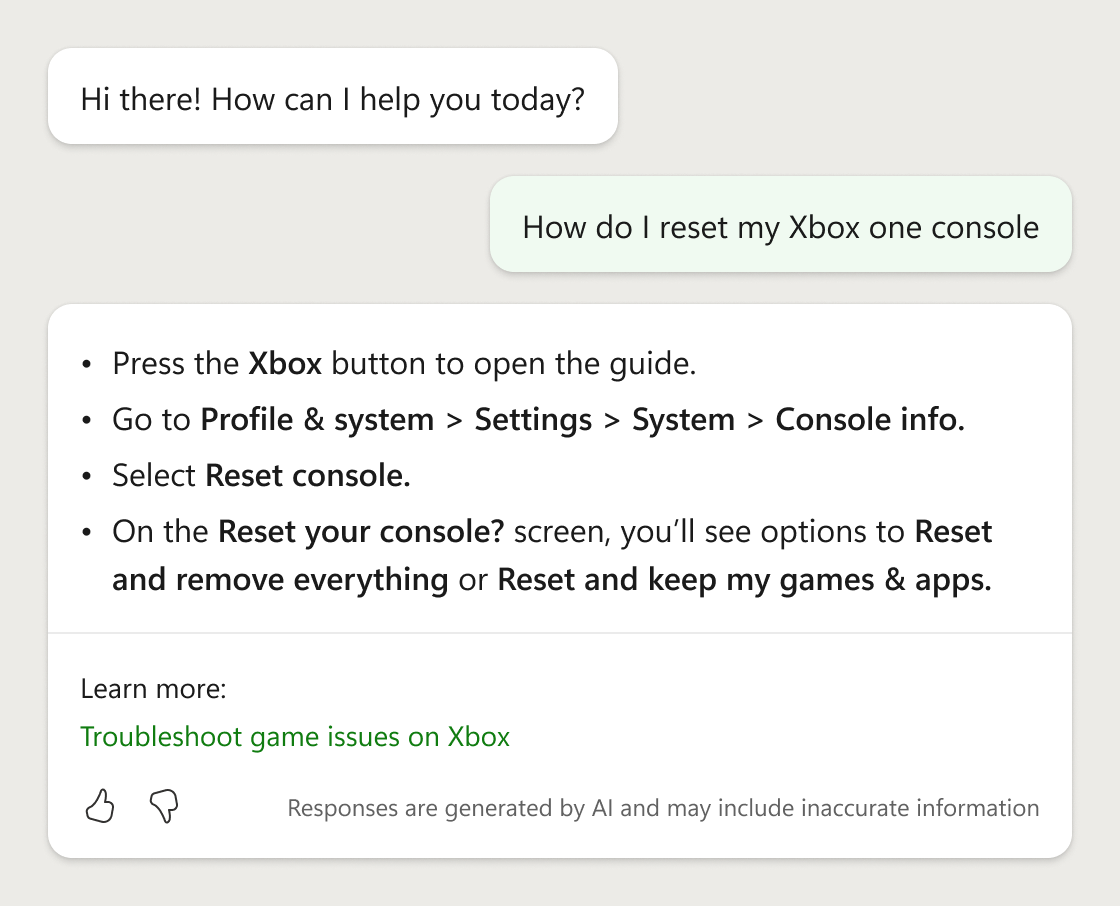
Generative AI replaced the static scripts, so the SVA responds to what someone actually asked instead of routing them through a menu.

When it can’t help, the user is handed off to a human agent. Too early and the SVA is just a doorway. Too late and people loop. I designed the escalation logic around that.
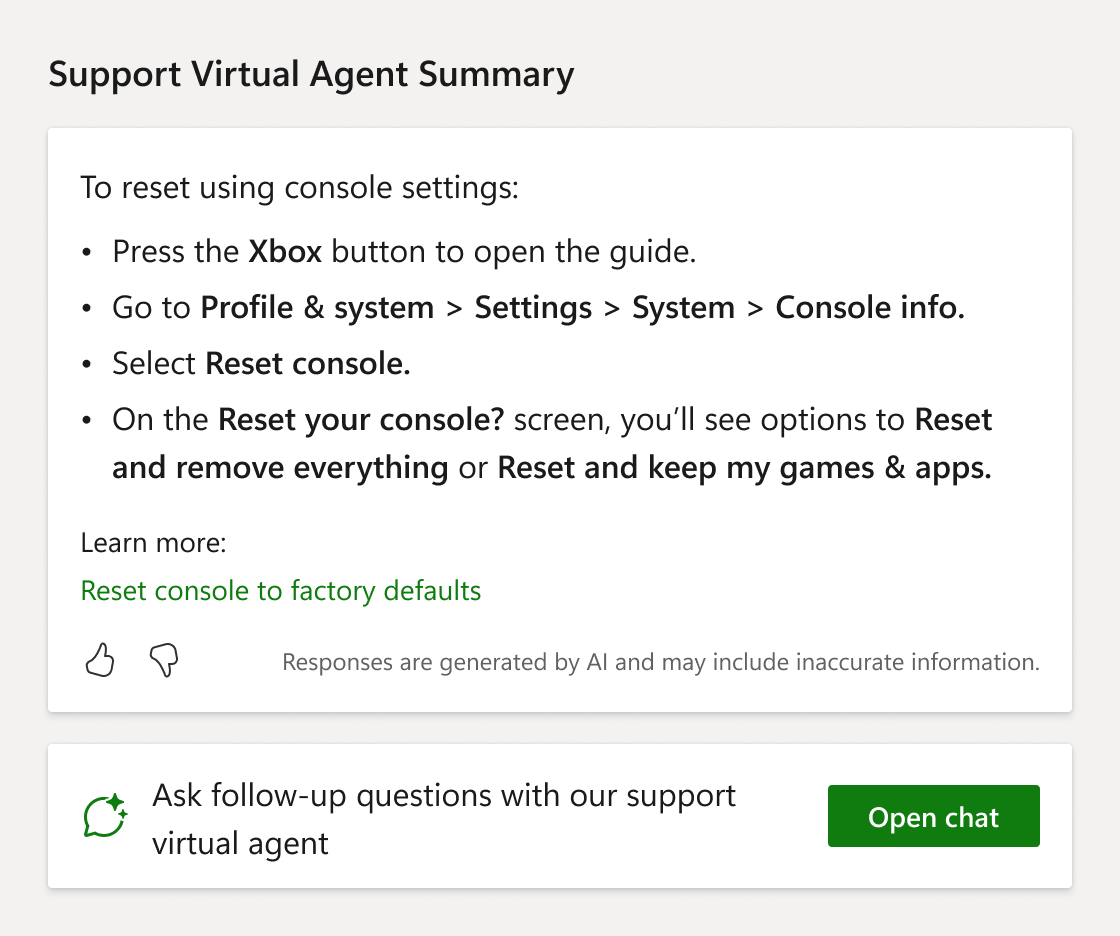
Most sessions started on a search results page, so that’s where I added an entry point. An AI summary to replace article links, and follow-up question leading to the full chat.
Ninety days after launch, the numbers held.
Resolved means the chat ended without a hand-off or a thumbs down. The two systems measured success differently, so these numbers show direction, not proof. But the direction was unambiguous.
38% 12%
Escalated to a human agentDown 26 points
Legacy agent sessions, then SVA conversations.
30% 69%
Resolved without reaching a human agentUp about 39 points
The legacy figure is roughly 30% of sessions.
With generative AI, people expect a chat to understand them. However, most support bots in the market were still running scripts.
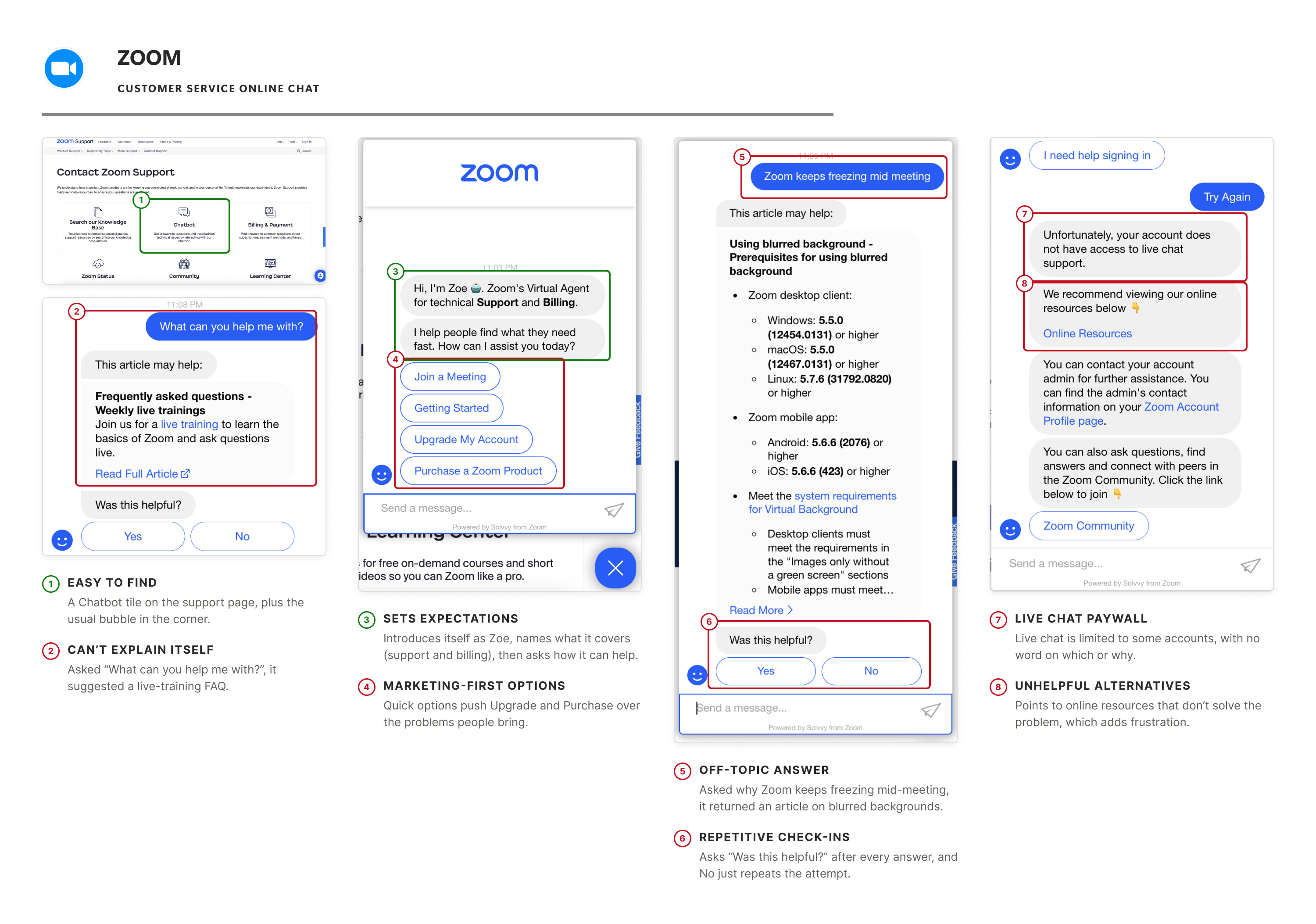
Of the heuristic reviews I ran, Amazon and Zoom each showed something different worth learning from. Amazon used context, like your orders and your last chat. Zoom was easy to find and clear about what it covered. Both relied on preset options, and neither could adapt to what someone actually asked.
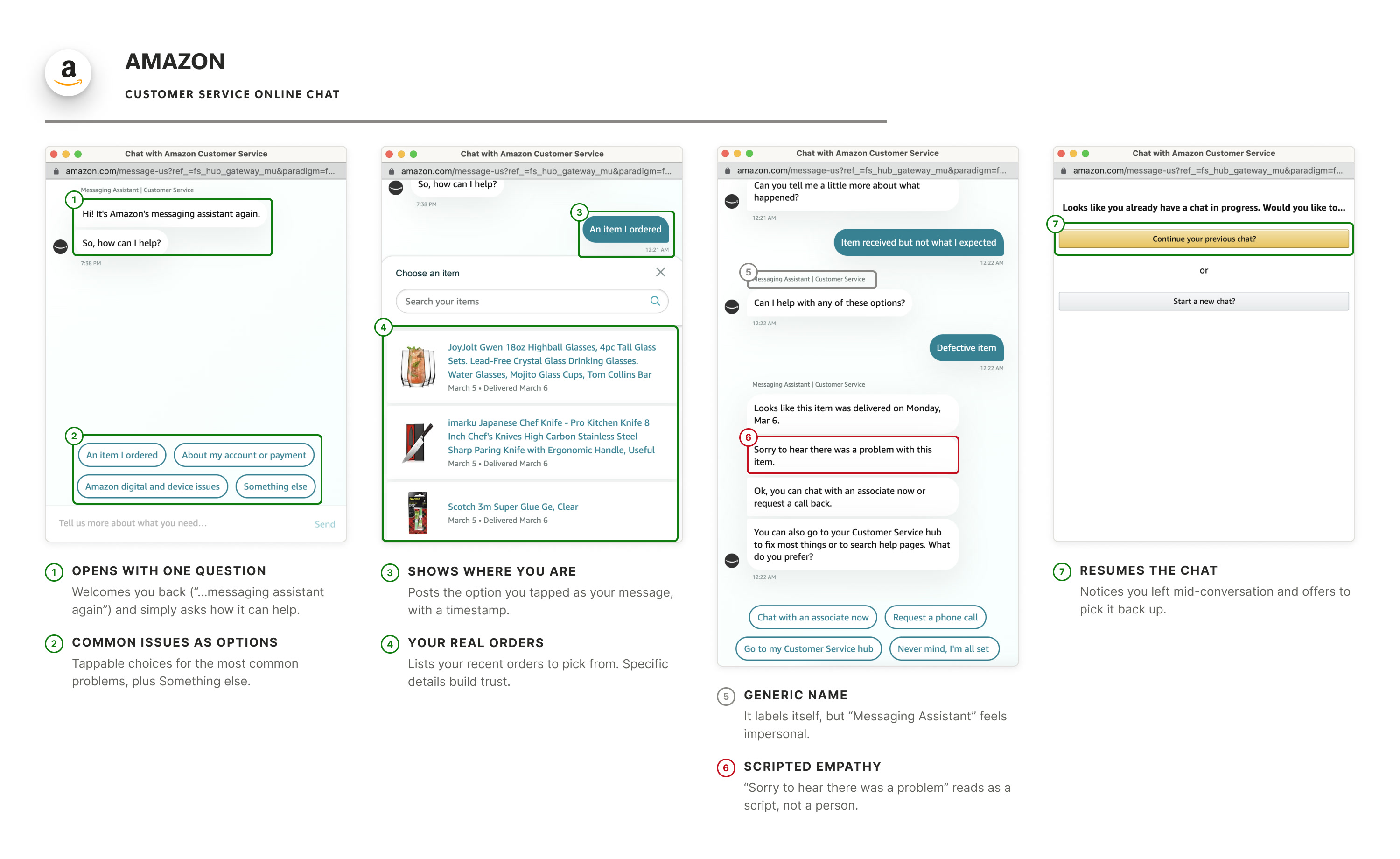
The same heuristic review, applied to the legacy agent we owned.
Two things were worth keeping: the legacy agent set expectations about its capabilities before the user invested in the conversation, and its clarifying questions offered actionable options rather than open-ended prompts.
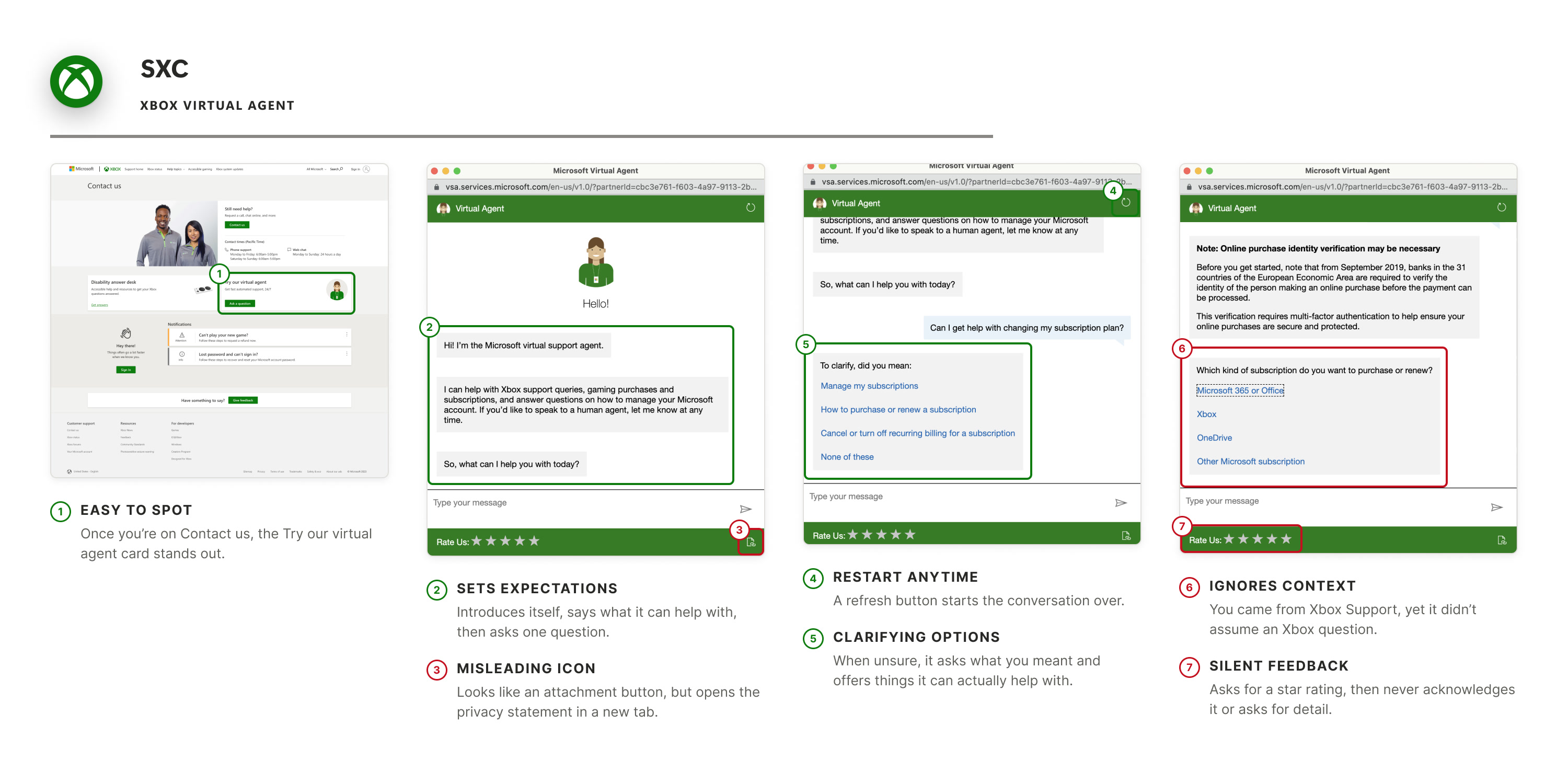
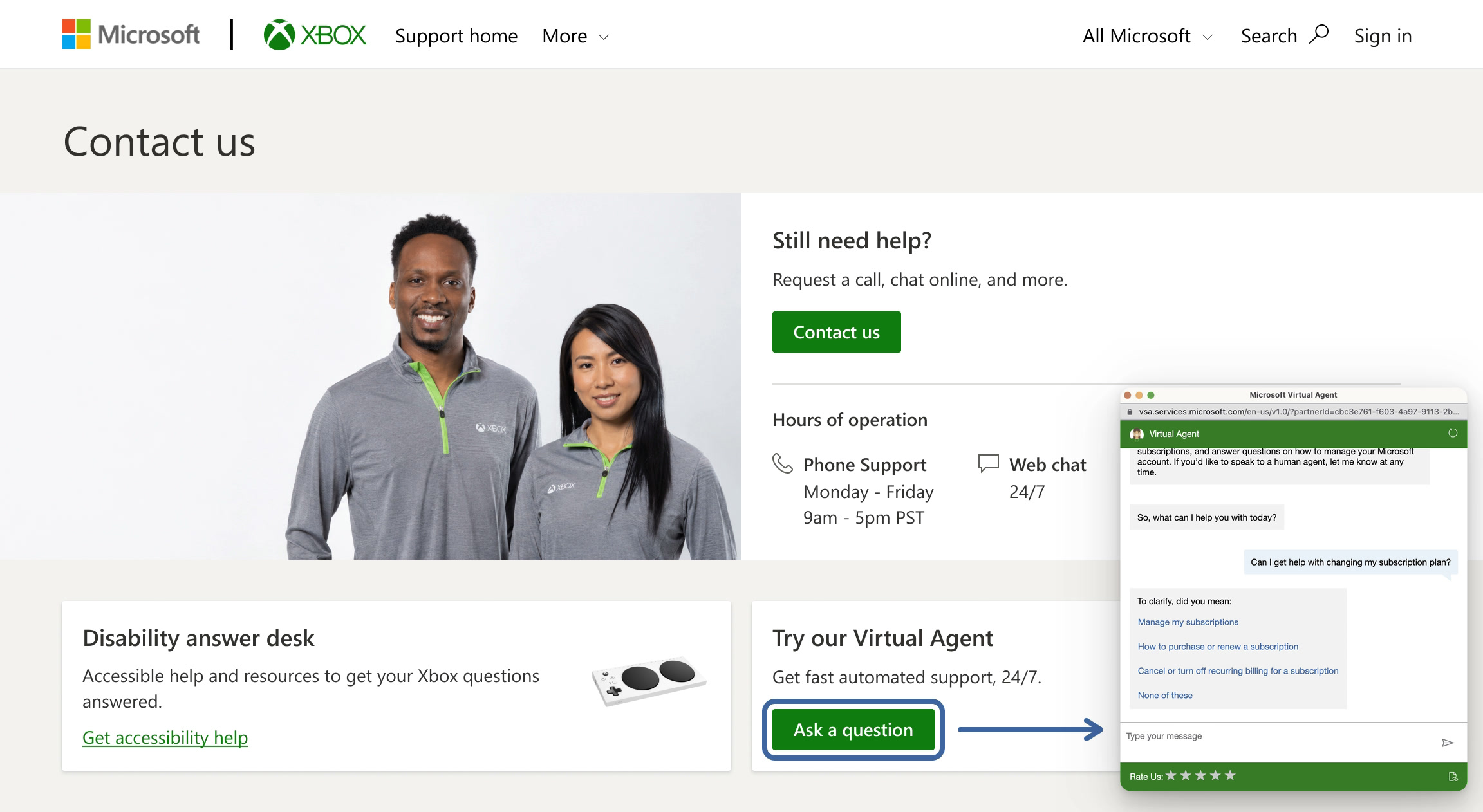
Reaching the legacy agent meant scrolling to the footer or finding an article first.
A human agent picked up with none of the conversation, so users had to repeat themselves, which caused frustration.
Ratings were collected and never acknowledged, so there was no reason to leave a second one.
None of these were support tools, but I studied them because they were reshaping what people expected from an AI conversation.
Microsoft Copilot Microsoft
Cited responses let users verify AI reasoning. Trust comes from showing the work, not just the conclusion. A design principle I carried into Xbox.
Google Gemini Google
Draft-based thinking let users explore options without feeling committed. It informed how we framed AI suggestions in support flows.
ChatGPT OpenAI
A single input field carrying deep capability, with no menu of options in front of it. It set the baseline for what our chat entry should look like.
With a UX researcher, I concept tested chat with and without embodiment. 20 participants, split evenly. It’s why we landed on a restrained presence.
4.1vs3.2
Average rating out of 5, embodied vs not. Directional, small sample.
I do like that it is giving a sentiment… it is an affirmation that it is following along with my thought process.
Participant P06
I’m a fan. He seemed chipper. Good voice. Pleasant.
Participant P17
8secvs3sec
Roughly 8 seconds a reply, against the 3 seconds P16 expected.
I expect chatbots to be quick and helpful: responses shouldn’t take more than 3 seconds.
Participant P16
Any interaction should feel simple, magical, and embody the gaming experience.
Participant P01
An embodied agent could extend beyond support to Minecraft and Halo, a real reason to explore character. But people reach support already frustrated. I framed it as a spectrum we could test, so the team could decide with evidence.
Gaming runs on characters. One embodied agent could carry from support into Minecraft and Halo.
A bot saying “I totally understand” reads as performative to someone already frustrated.
The spectrum
Each layer runs from none to full. The dot is where we set it.
Visual
Static, abstract avatarFull animated character
Aural
UI sounds onlyVoice, gender, accent, tone
Textual
Neutral, functional languageCharacter voice, humor, informality
Where we landed: a restrained presence, with character as a secondary experience.
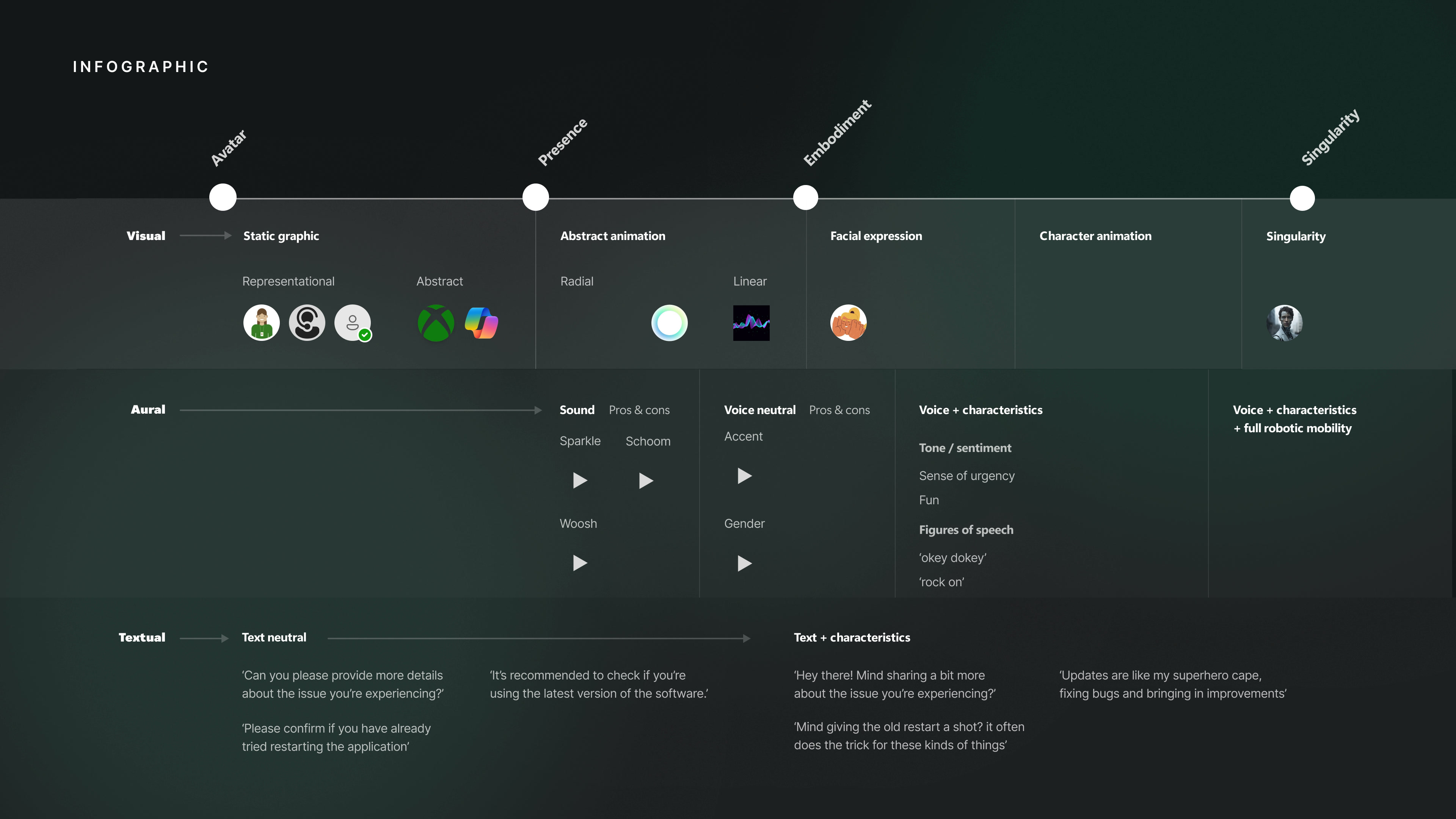
Approachable and reliable, calibrated to what the system could deliver.
Every path ends at an answer or the support options, and none reaches support without a topic.
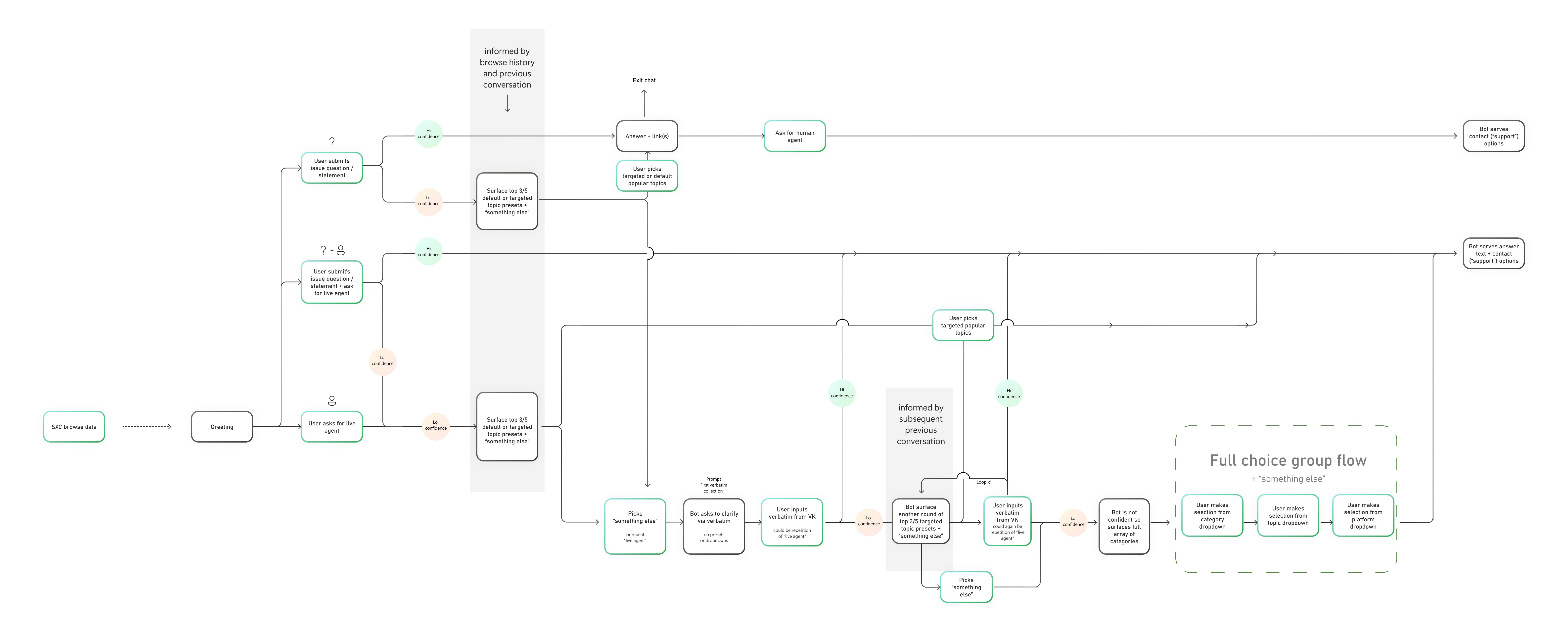
Every branch the agent can take, from the greeting to the support options. Each stop zooms into one part of it.
A question, a question with a request for a live agent, or a request for a live agent alone. The greeting already carries browse data from SXC, Xbox Support, so the agent knows what the person was looking at. The agent sorts each first message by how confident it is.
The agent answers with links to the source. Asking for a human agent after that brings up the support options; a question that already asked for one gets the answer and the options together.
Instead of guessing, the agent offers three to five topics, picked from what the person browsed and said so far, plus “Something else”.
“Something else”, or “live agent” again, gets a plain question with no presets. If the agent is still unsure, it offers one more round of topics. That loop runs once.
If the agent still can’t tell, it shows every category, then topic, then platform, and from there the support options.
The agent came out of the Contact us page and onto the pages people already visit, so help starts wherever they are.
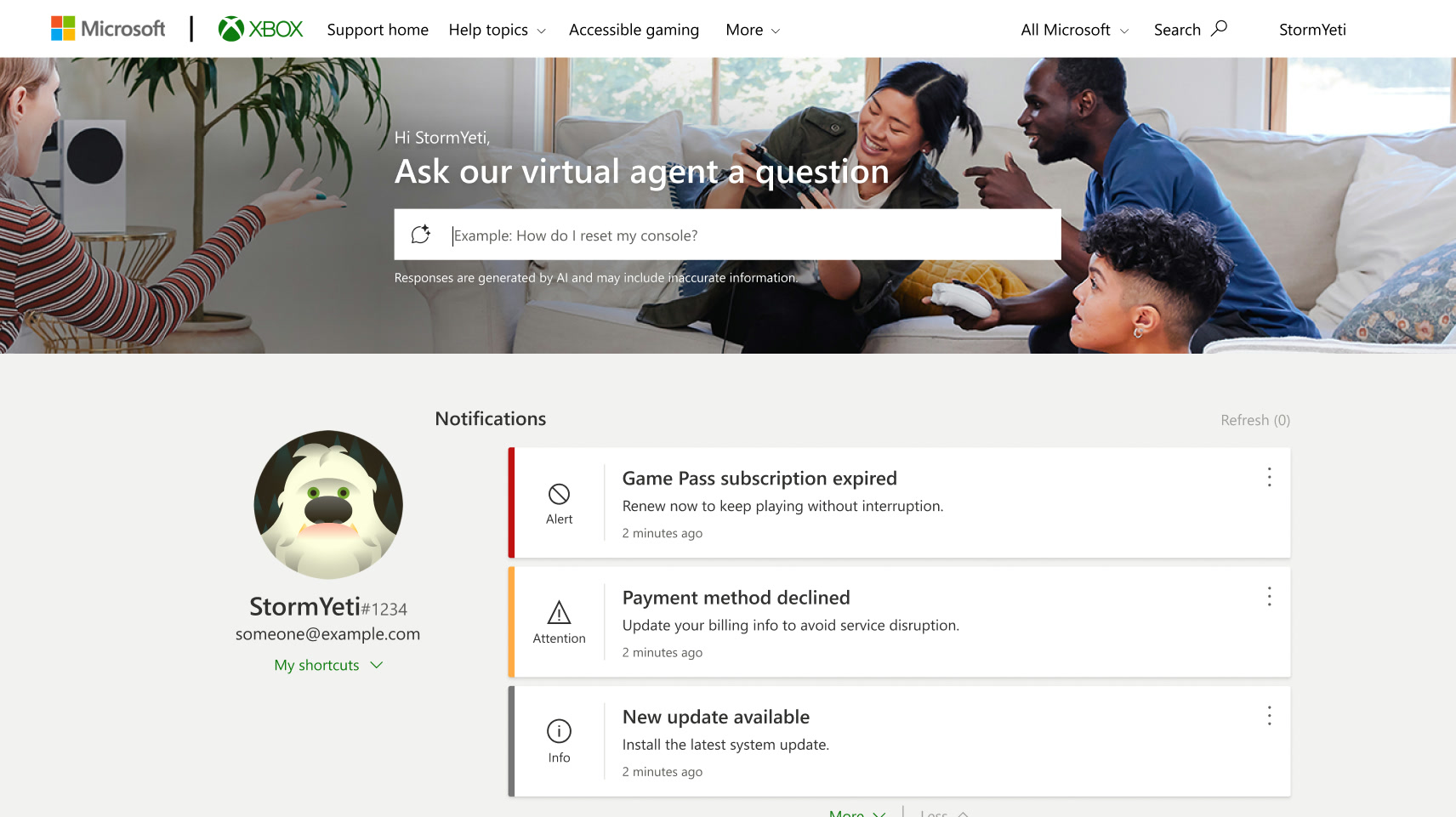
Support homeAsk the agent from the first screen
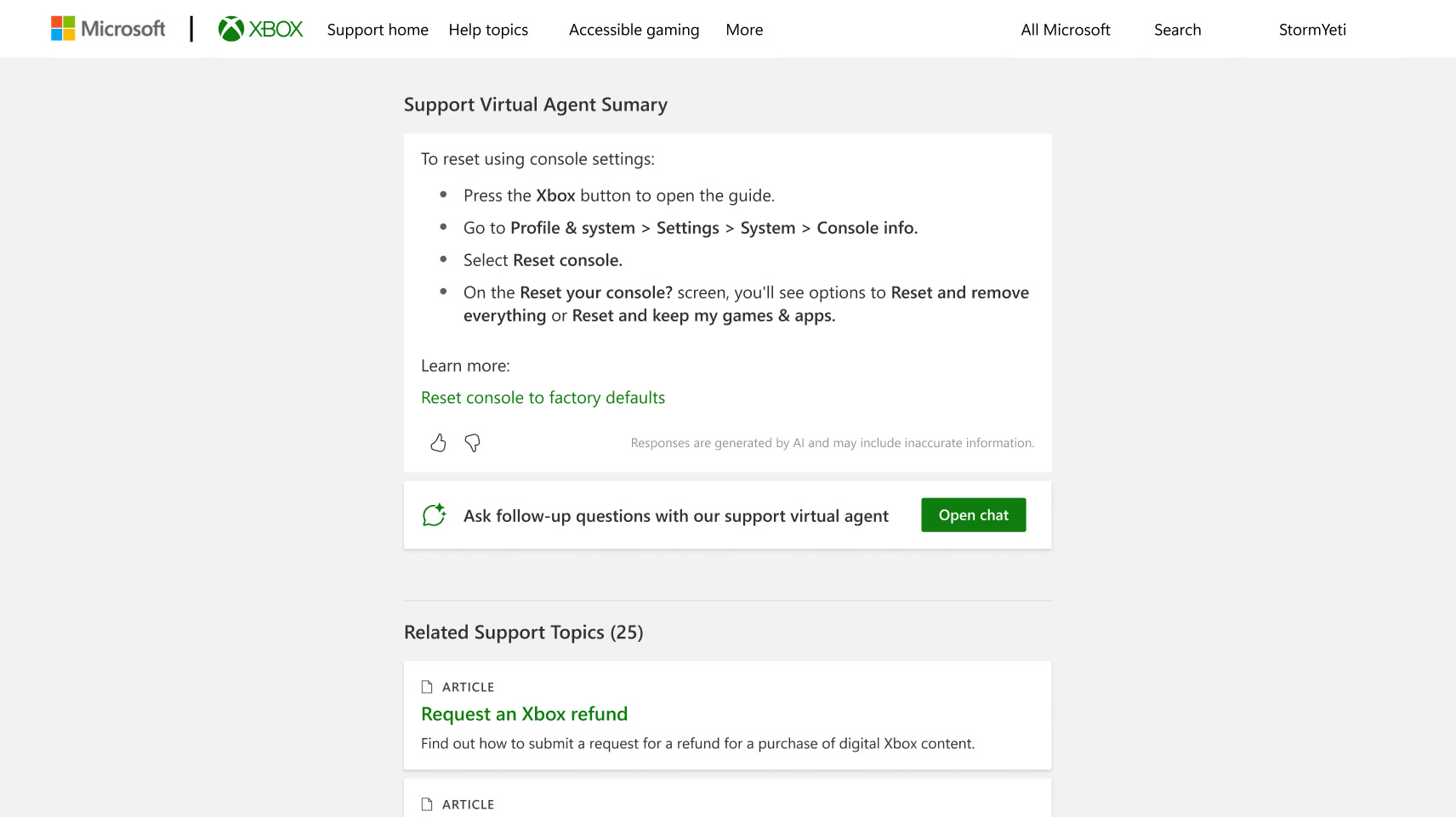
Search resultsAn AI summary above the articles, then Open chat
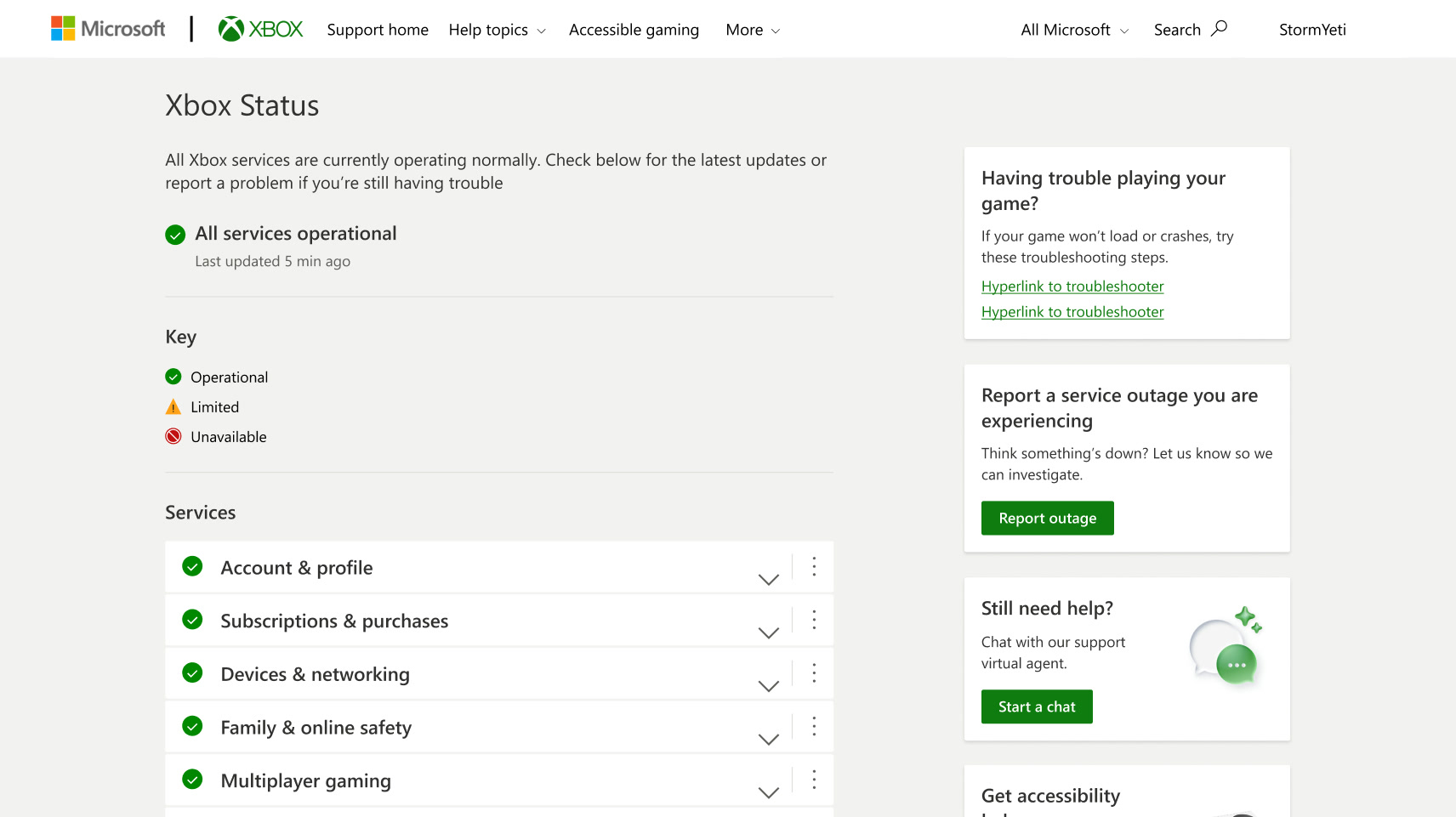
Xbox StatusStill need help? Start a chat beside the outages
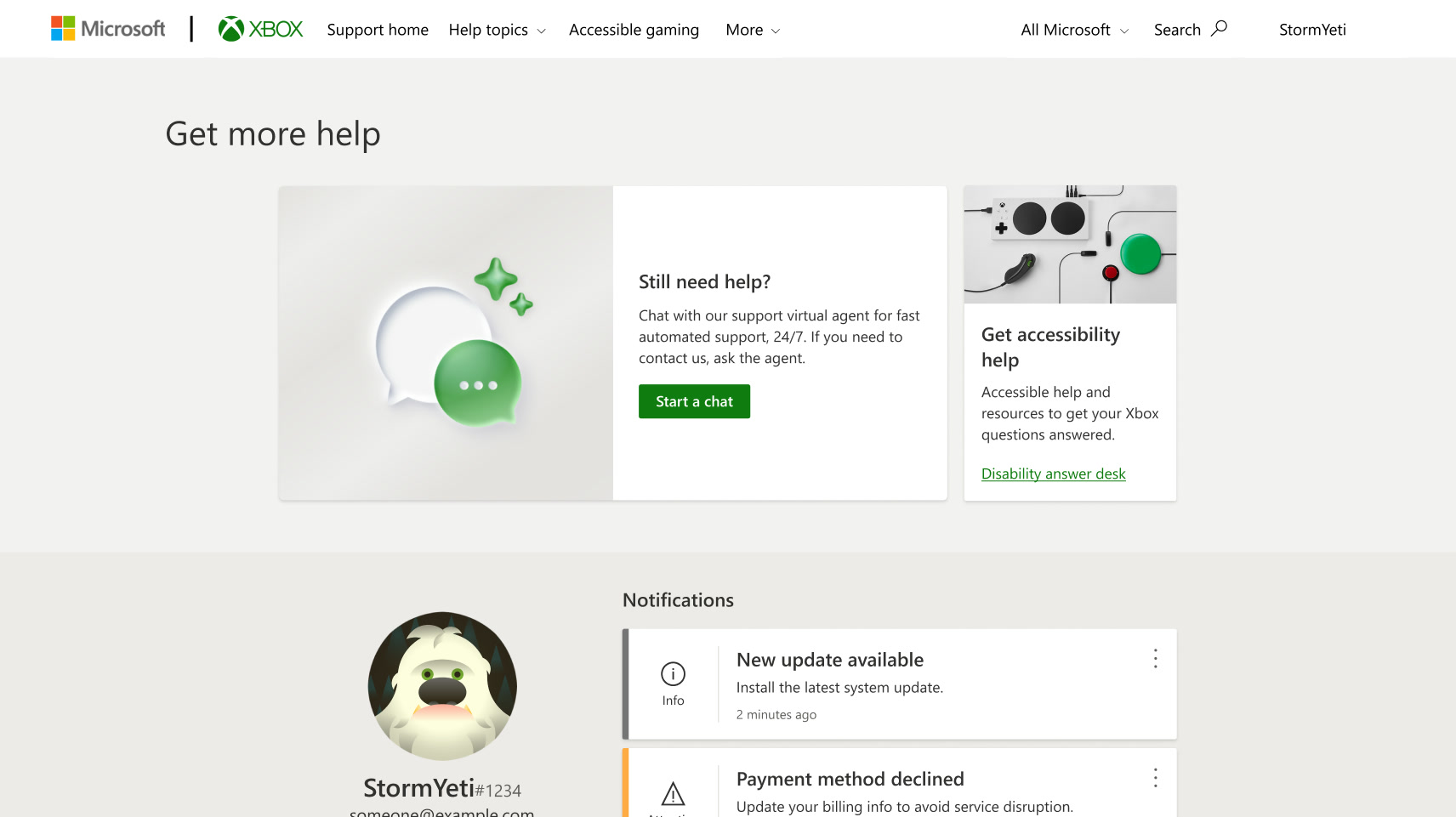
Get more helpChat first, with a human agent one step behind
The legacy agent opened in a pop-up and asked people to pick from a list. The shipped SVA answers in a full chat, cites its source and asks for feedback on every answer.
I wrote the spec engineering built from: the escalation flowchart, each component’s anatomy, six scenarios and layouts from 360 to 1920 pixels.
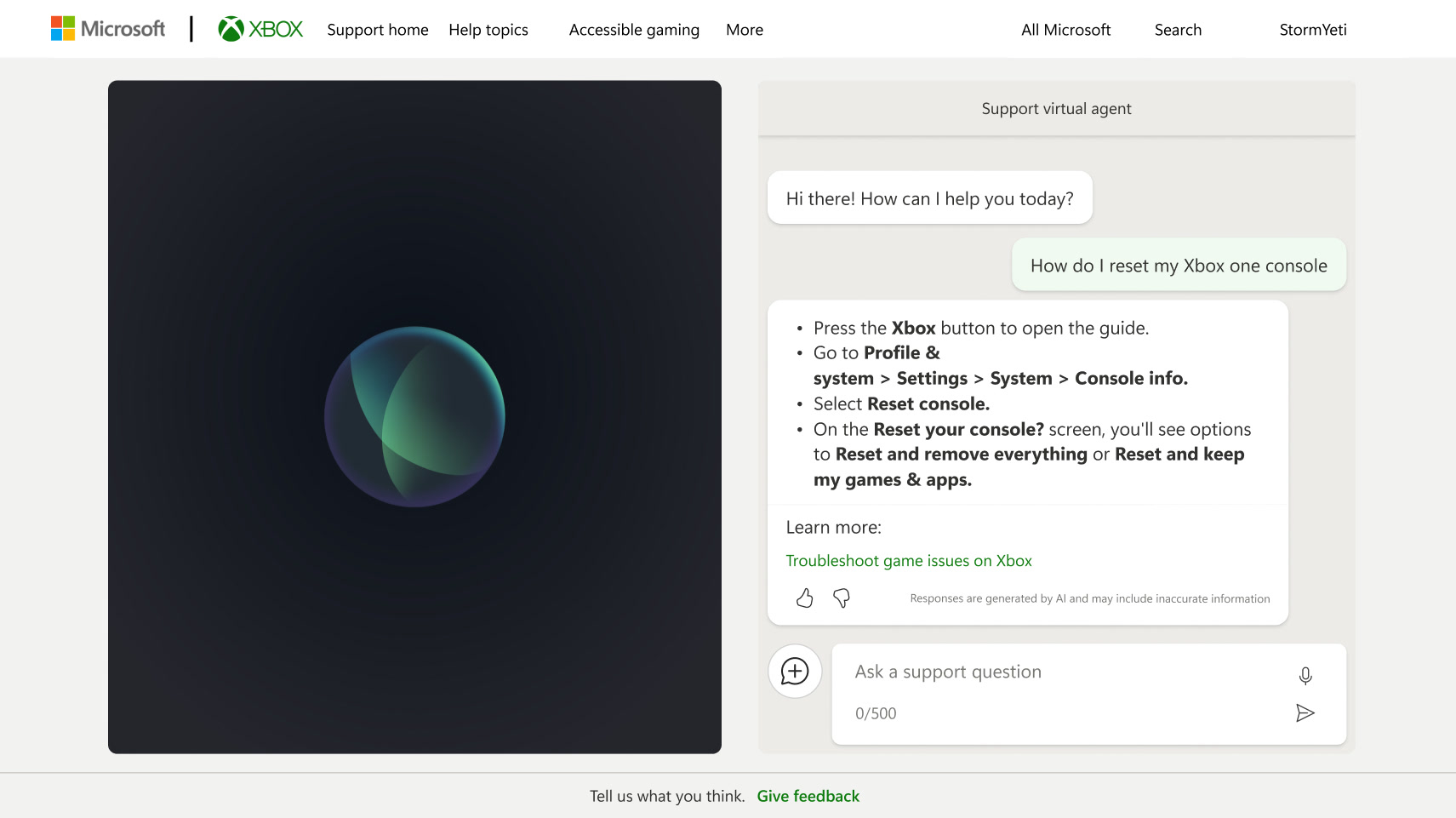
After: a full chat beside an abstract animated presence, with a source and feedback on every answer.